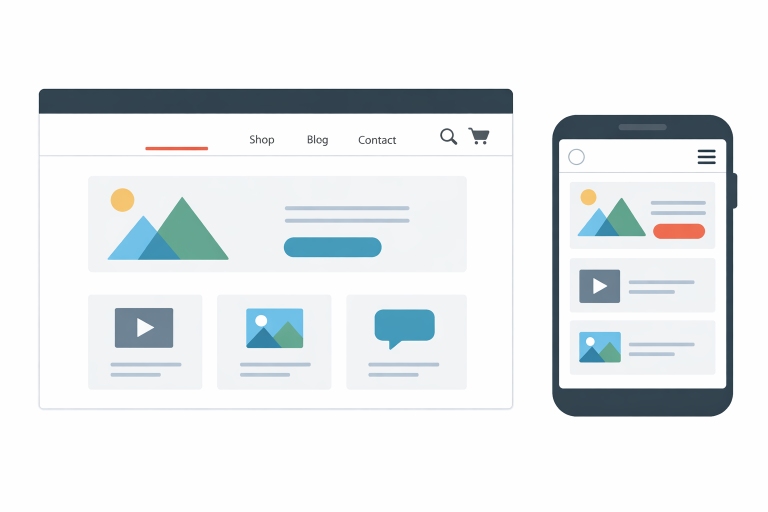
How to Plan an Online Store That Works Before Launch

Key Takeaways
- Choose a clear customer, product focus, and business goal before building pages.
- Plan navigation and product categories before refining visual details.
- Make product pages useful, specific, and easy to scan.
- Build for mobile shoppers from the beginning.
- Show shipping, returns, payment options, and support details clearly.
- Test the entire order process before announcing the launch.
- Use clear links and accurate product data to support search visibility.
Launching an online store is not just a design project. It is a customer experience, an operations system, and a sales process that must work together. Before selecting colors or uploading a large catalog, define how shoppers will discover products, decide to buy, pay, and receive support. An ecommerce website maker can help turn the plan into a functioning site, but the plan should come first.
A polished homepage cannot overcome unclear product information, hidden delivery costs, or a checkout that is difficult to use on a phone. The strongest first version of a store answers customer questions early, keeps the path to purchase simple, and gives the owner a manageable process for fulfilling orders.
Why Planning Comes Before Design
Design should support the shopping journey, not distract from it. Visitors need to understand what the store sells, who the products are for, how much they cost, and what happens after they place an order. When those answers are missing, attractive images and elaborate effects do little to move a shopper forward.
Step 1: Define the Store’s Main Goal
Give the first version of the store one primary purpose. It may be selling a focused product range, testing interest in a new idea, collecting email subscribers before a larger launch, or helping an existing local business accept orders online.
Write a one-sentence goal such as, “Help apartment residents buy small-batch candles with clear scent and burn-time details.” Then answer these questions:
- What will the store sell?
- Who is most likely to buy it?
- What problem or desire does it address?
- What action should a visitor take first?
Step 2: Map the Customer’s Buying Journey
Sketch the route a shopper will take from discovery to confirmation. A visitor may arrive on the home page, browse a category, open a product page, add an item to the cart, complete checkout, and receive an order email. Each stage should resolve a practical question.
Photorealistic candid documentary-style photo of a small-business owner at a kitchen table mapping an online store’s customer journey with handwritten notes, product samples, and a laptop showing a simple ecommerce page; natural window light, lived-in home workspace, genuine in-the-moment feel, no posed expressions.
- Discovery: What does this store offer?
- Evaluation: Why is this product right for me?
- Decision: What is the full cost, and can I return it?
- Purchase: Can I complete this quickly without confusion?
- Follow-up: When will my order arrive, and whom can I contact?
Step 3: Build a Simple Site Structure
Most new stores need a home page, shop or category pages, product pages, an about page, contact information, shipping and returns pages, privacy and terms pages, plus the cart and checkout. Keep the hierarchy shallow enough that shoppers can move naturally from category to product without relying on a search bar.
Search engines also benefit when pages are reachable through links in your navigation. Link category pages to relevant products, include useful related-product links, and avoid leaving important items on pages with no normal path from the menu.
Step 4: Plan Product Pages Around Customer Questions
A product page should help a person make a confident decision. Include a clear name, well-lit images, a short summary near the top, price, stock status, options such as size or color, delivery expectations, return details, and a visible purchase button.
Then add the details customers need to compare or use the item. For a handmade candle, that could include scent notes, wax type, jar size, burn time, care instructions, and whether the fragrance is strong or subtle. Specific information is more useful than vague claims about “premium quality.”
Step 5: Design for Mobile Shoppers
Review every important page on a phone, not only on a desktop monitor. Text should be readable without zooming, buttons should be easy to tap, images should not make pages unnecessarily heavy, and forms should work with a phone keyboard. Keep menus concise and make the cart easy to find throughout the shopping process.
Step 6: Remove Checkout Friction
Checkout is the point where uncertainty becomes expensive. Avoid asking for information that is not needed to process an order. Show shipping charges, taxes where applicable, delivery choices, and the final total before payment. Offer guest checkout when it fits the business, label every field clearly, and place error messages next to the field that requires attention.
Step 7: Add Trust Before Asking for Payment
New visitors need evidence that the business is legitimate and reachable. Display a real contact method, accurate business details, clear shipping terms, a readable return policy, and product reviews when genuine reviews are available. Trust signals belong on product pages and policy pages as well as near payment fields.
Step 8: Prepare the Store for Search
Before launch, write descriptive page titles, use meaningful headings, create original product descriptions, add useful image alt text, and connect related categories and products with internal links. These tasks make pages easier for people to understand and organize.
For stores that can implement it correctly, product markup may help search platforms interpret price, availability, shipping details, and return information on product pages. Keep the information shown in markup consistent with what shoppers can see on the page.
Step 9: Check the Real Cost of Running the Store
Look beyond the basic monthly software price. Build a six-to-twelve-month estimate that includes domain registration, platform or hosting fees, payment processing, packaging, shipping supplies, photography, marketing, support tools, taxes, accounting, and any paid integrations. This helps establish the sales volume needed to cover operating costs.
Step 10: Run a Pre-Launch Test
Complete a full test order on both desktop and mobile before inviting customers. Check prices, inventory, shipping rates, confirmation emails, contact forms, policy links, spelling, measurements, and image quality. Ask someone unfamiliar with the business to find a product and place a test order without assistance. Their hesitation often reveals issues the owner no longer notices.
Common Planning Mistakes to Avoid
- Launching too many products before the buying process has been tested.
- Using unedited supplier descriptions that do not answer customer questions.
- Revealing shipping costs only at the final checkout stage.
- Adding visual features that slow down pages or hide product details.
- Treating desktop layouts as if they automatically work on phones.
- Leaving returns, fulfillment, and customer support decisions until after launch.
Frequently Asked Questions
How many products should a new store launch with?
Start with a focused catalog that the business can photograph, describe, price, fulfill, and support well. Add products after customer demand and operational capacity are clearer.
What should be finished before launch?
Product pages, pricing, inventory settings, shipping rules, policies, checkout, confirmation emails, contact details, and an order-handling process should all be tested before promotion begins.
Does an online store need a blog?
No. Helpful category pages and product pages come first. A blog can be useful later when it answers recurring customer questions or supports a broader content strategy.
Conclusion
A successful online store begins with a clear customer path, not a crowded homepage. Plan the goal, site structure, product information, mobile experience, checkout, trust elements, costs, and testing process in that order. A simple store that works reliably can teach far more than a large launch built without a practical plan.