Securing Business Infrastructure Through Managed IT

The Evolution of Database Infrastructure: From IaaS to PaaS
Our business infrastructure is the foundation of modern operations. In today’s digital landscape, maintaining this foundation’s security and efficiency is not just a technical task; it’s a strategic imperative. As organizations embrace digital transformation, they increasingly rely on cloud-based solutions to manage their most valuable asset: data.
Moving to the cloud, however, introduces new complexities, especially in database management and security. This is where Platform-as-a-Service (PaaS) offerings, such as Azure SQL Database, become essential. They provide powerful, scalable, and secure ways to handle your data without the heavy burden of managing underlying infrastructure.
Navigating the nuances of cloud environments and optimizing them for performance and cost requires specialized knowledge. For many businesses, partnering with experts for managed IT services for Azure is key to ensuring their cloud infrastructure is both robust and secure.
We will explore the benefits and features of Azure SQL Database, a PaaS offering. We will discuss its role in modern business, compare it to other database options, and highlight how it contributes to a more resilient and secure IT ecosystem.
The journey to the cloud has introduced various service models, fundamentally changing how businesses approach their IT infrastructure. At one end of the spectrum is Infrastructure-as-a-Service (IaaS), which offers the most control, akin to managing your own physical servers but hosted in the cloud. At the other end, Platform-as-a-Service (PaaS) provides a more abstracted environment, where the cloud provider handles much of the underlying infrastructure, allowing users to focus purely on application development and data management.
Azure SQL represents a family of managed, secure, and intelligent database services built on the familiar SQL Server database engine within the Azure cloud. This family includes Azure SQL Database (a PaaS offering), Azure SQL Managed Instance (another PaaS offering), and SQL Server on Azure Virtual Machines (an IaaS offering). Understanding the distinctions between these options is crucial for making informed decisions about your data strategy.
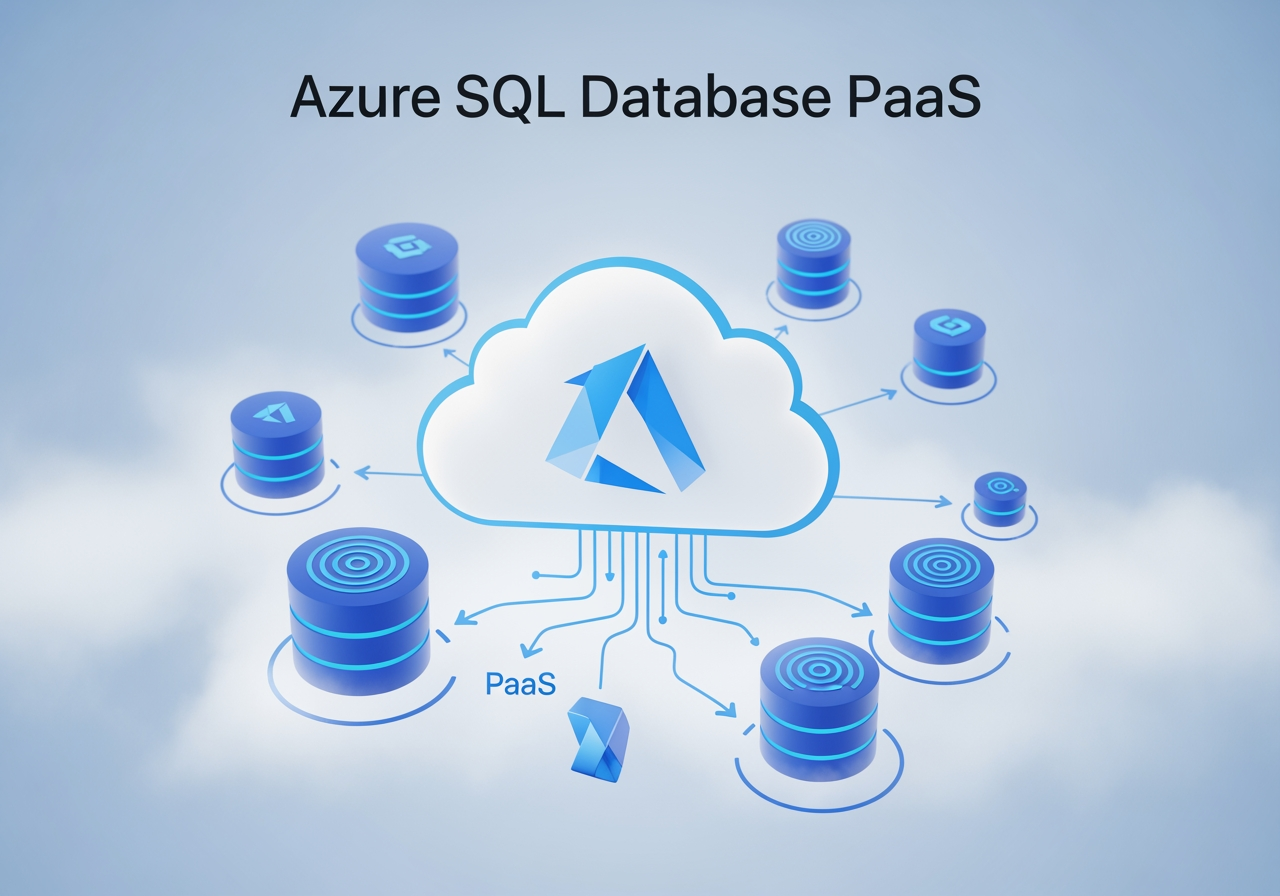
Azure SQL Database, as a PaaS offering, is fully managed by Microsoft. This means the cloud provider takes on the responsibility for tasks such as hardware provisioning, operating system patching, database engine updates, backups, and high availability. This delegation of responsibility frees up your IT team to concentrate on higher-value activities, such as application development, data analysis, and strategic business initiatives. It’s like opting for a full-service car dealership for maintenance rather than changing the oil and filters yourself; you gain efficiency and expertise, albeit with less granular control over the underlying mechanics.
In contrast, SQL Server on Azure Virtual Machines (IaaS) provides a virtual machine running Windows or Linux on which you install and manage SQL Server yourself. This model offers maximum control and 100% feature parity with on-premises SQL Server, making it ideal for lift-and-shift migrations where minimal application changes are desired. However, it also means you are responsible for all aspects of operating system and SQL Server management, including patching, backups, and high-availability configurations.
Azure SQL Managed Instance sits in between, offering a PaaS experience with near-100 % feature compatibility with the latest Enterprise Edition of the SQL Server Database Engine. It provides a native virtual network (VNet) implementation that addresses common security concerns for enterprise workloads. This makes it an excellent migration target for existing on-premises SQL Server applications that require instance-level features, such as SQL Server Agent, cross-database queries, or Common Language Runtime (CLR) modules, while still benefiting from the PaaS advantages of automated management.
Bridging the Gap Between On-Premises and Azure SQL
For organizations considering a move from on-premises SQL Server to the cloud, Azure SQL Database PaaS offerings provide a compelling bridge. Azure SQL Database is always running on the latest stable version of the SQL Server database engine and a patched operating system. This ensures that your database environment benefits from the newest features, performance enhancements, and security updates without any manual intervention on your part. Microsoft handles the continuous upgrading, patching, and monitoring, eliminating the administrative overhead typically associated with on-premises deployments.
Azure SQL Managed Instance further simplifies this transition, particularly for complex legacy applications. It supports backward compatibility with databases from SQL Server 2008 onward, making migration from older systems easier. Moreover, it includes many instance-level features that are not available in Azure SQL Database, such as SQL Server Agent for job scheduling, Database Mail for notifications, and Service Broker for asynchronous messaging. Its native virtual network integration provides network isolation, making it easier to securely connect to existing on-premises networks and other Azure services. This level of compatibility and integrated management significantly reduces the effort and risk involved in migrating enterprise workloads to the cloud.
Optimizing Performance with Managed IT Services
One significant advantage of Azure SQL Database PaaS is its extensive automation of operational tasks. This automation directly translates into optimized performance and reduced administrative burden for your team. For instance, Azure SQL Database handles automatic patching and maintenance. While patching is generally seamless and often unnoticeable to applications, Azure offers features such as maintenance windows, which allow you to configure predictable schedules for eligible databases. This level of control, combined with automatic updates, ensures your database remains secure and performs optimally without manual intervention.
For performance monitoring, Azure SQL Database provides built-in tools and capabilities. The Query Store automatically captures query history, query plans, and runtime statistics, enabling us to quickly identify and troubleshoot performance bottlenecks. Adaptive query processing and automatic tuning features intelligently learn from your database workload and apply optimizations such as index management and plan corrections, often preventing performance issues before they affect users. Furthermore, advanced monitoring tools and integration with Azure Monitor allow for comprehensive oversight, alerting, and diagnostics of database health and performance.
Working with a managed IT services provider for Azure can further enhance these benefits. We can leverage these native Azure tools to continuously monitor your Azure SQL Database instances, analyze performance trends, and proactively implement optimizations. This ensures that your database resources are always aligned with your application’s demands, preventing costly downtime or slow performance. From provisioning new resources to integrating with development tools such as SQL Server Management Studio (SSMS) and Visual Studio Code, our expertise streamlines the entire lifecycle of your Azure SQL Database environment.
Streamlining Deployment and Management Operations
The PaaS model of Azure SQL Database also significantly simplifies deployment and management. Databases are managed within logical servers, which act as central administrative points for groups of databases. This abstraction allows for efficient management of security, connectivity, and compliance policies across multiple databases.
Developers and administrators have multiple avenues for interacting with Azure SQL Database. Beyond the intuitive Azure portal, which provides a web-based interface for managing all Azure services, programmatic access is readily available. Transact-SQL (T-SQL) remains the core language for database operations, but powerful automation can be achieved with tools such as the Azure CLI and PowerShell. These command-line interfaces allow for scripting and automating routine tasks, from creating new databases and configuring firewall rules to managing users and setting up monitoring alerts. For more complex integrations, the REST API offers a flexible way to interact with Azure SQL resources programmatically.
Furthermore, critical database management functions, such as backups, are fully automated. Azure SQL Database performs regular backups, ensuring data protection and enabling point-in-time restore capabilities. This eliminates the need for manual backup scheduling, storage management, and validation, significantly reducing operational overhead and improving recovery capabilities. These automated features, combined with our managed IT services, ensure that your database environment is not only robust and secure but also highly efficient in its daily operations.
Cost Management and Resource Optimization Strategies
Optimizing cloud costs is a top priority for any business, and Azure SQL Database offers several features to help achieve this. Understanding the available purchasing models and service tiers is fundamental to effective cost management.
Azure SQL Database primarily offers two purchasing models:
- vCore-based model: This model provides flexibility, control, and transparency. It allows you to independently choose the number of virtual cores, the amount of memory, and the amount and speed of storage. This model is ideal for workloads that require granular control over resource allocation and offers benefits like Azure Hybrid Benefit.
- DTU-based model: The Database Transaction Unit (DTU) model offers a pre-configured bundle of compute, memory, and I/O resources. It’s simpler to understand and manage, especially for workloads with predictable performance requirements.
Here’s a simplified comparison:
Feature vCore-based Model DTU-based Model Resource Control Independent scaling of compute, memory, storage Bundled resources (CPU, Memory, I/O) Predictability Granular control, suitable for varying workloads Simpler, good for consistent workloads Cost Savings Azure Hybrid Benefit, Reserved Instances Less direct options, relies on tier selection Max Scale Up to 128 vCores, 128 TB (Hyperscale) Up to 4000 DTUs PricingTransparent, based on resources Per-unit pricing Beyond purchasing models, Azure SQL Database provides innovative features for cost savings. The serverless computetier, for example, is designed for intermittent, unpredictable workloads. It automatically scales compute resources based on workload demand and bills per second of usage, with automatic pausing during periods of inactivity. This can lead to significant cost reductions for databases that don’t require continuous compute power. Azure even offers a free tier, providing 100,000 vCore seconds of serverless compute and 32 GB of storage every month, perfect for development or small applications.
Another powerful cost-saving mechanism is the Azure Hybrid Benefit for SQL Server. If you have existing SQL Server licenses with Software Assurance, you can use them to get a discount on the allocation of SQL Server licenses to your Azure SQL Database engine. This can result in substantial savings, often up to 80% compared to pay-as-you-go rates.
For long-term, predictable workloads, Reserved Instances offer further discounts by committing to a one-year or three-year term. Together, these strategies can yield impressive cost reductions. For example, elastic pools can provide significant savings, with estimates of 55% to 80% compared to individual databases, especially in scenarios with fluctuating resource needs across many databases. The Hyperscale service tier, capable of supporting databases up to 128 TB, also offers a cost-effective solution for very large databases with high throughput requirements.
Scaling Resources via Managed IT Services
The ability to scale resources dynamically is a cornerstone of cloud computing, and Azure SQL Database excels at it. It offers two primary deployment models for individual databases:
- Single Databases: Every single database has its own dedicated set of resources (vCores, memory, storage). This model is suitable for modern cloud applications that require isolated performance and predictable resource allocation. You can dynamically adjust the service tier and compute size without downtime, adapting to changing application needs.
- Elastic Pools: Designed for Software-as-a-Service (SaaS) application patterns, elastic pools allow you to share a set of resources among multiple databases. This is ideal for multi-tenant applications where individual database usage might be unpredictable, but the collective usage across many databases averages out. Elastic pools enable you to manage collective performance and scale resources for hundreds or even thousands of databases within a controlled budget. This dynamic scaling capability, combined with performance tiers like General Purpose and Business Critical, ensures that your applications always have the right amount of resources, optimizing both performance and cost.
Enhancing Security through Managed IT Services
Security is paramount for any database, and Azure SQL Database PaaS is built with industry-leading, multi-layered protection. Microsoft invests heavily in security, and these capabilities are inherited by Azure SQL Database.
Key security features include:
- Transparent Data Encryption (TDE): Automatically encrypts data at rest, protecting your data files, backups, and transaction log files without requiring application changes.
- Advanced Threat Protection: Continuously monitors for unusual and potentially harmful attempts to access or exploit your databases. It provides security alerts on anomalous activities, giving you real-time remediation guidance.
- Microsoft Entra ID (formerly Azure Active Directory) Integration: Enables centralized identity management and single sign-on for your database users. This enables robust authentication mechanisms, including multi-factor authentication (MFA), thereby enhancing security and simplifying user management.
- Dynamic Data Masking: Limits exposure of sensitive data by masking it from non-privileged users. This helps prevent unauthorized access to sensitive information with minimal impact on the application layer.
- Row-Level Security (RLS): Enables you to control access to rows in a database table based on the characteristics of the user executing a query. This simplifies the design and coding of security in your applications.
- Vulnerability Assessment: Scans your database for potential security vulnerabilities and provides actionable recommendations to improve your database security posture.
Furthermore, Azure SQL Database is certified against several compliance standards, which can be reviewed in the Microsoft Azure Trust Center. This commitment to compliance helps businesses meet their regulatory obligations. With Managed IT Services for Azure, we ensure these robust security features are properly configured, continuously monitored, and aligned with your organizational security policies, providing comprehensive protection for your valuable data.
Ensuring Business Continuity and Disaster Recovery
For any critical business application, ensuring high availability and robust disaster recovery capabilities is non-negotiable. Azure SQL Database PaaS offers enterprise-grade business continuity features that are built in and fully managed, providing peace of mind and minimizing the risk of data loss or prolonged downtime.
A cornerstone of Azure SQL Database’s reliability is its impressive 99.99% availability SLA. This guarantee is underpinned by sophisticated architecture that includes automatic failover mechanisms, ensuring that your database remains operational even in the event of underlying infrastructure failures.
Key features contributing to business continuity and disaster recovery include:
- Automated Backups: Azure SQL Database automatically performs full, differential, and transaction log backups, storing them in geo-redundant storage. This eliminates the need for manual backup management and provides comprehensive data protection.
- Point-in-Time Restore: You can restore your database to any point in time within the configured retention period, typically up to 35 days. This capability is crucial for recovering from accidental data corruption or deletion.
- Zone Redundancy: For enhanced resilience, you can deploy your database with zone redundancy, which replicates your database across multiple Azure Availability Zones within a region. This protects against datacenter-level failures by ensuring that your database remains available even if one zone experiences an outage.
- Active Geo-Replication: This feature allows you to create up to 4 read-only secondary databases across different Azure regions. It’s ideal for disaster recovery, enabling rapid failover to a secondary region in the event of a regional outage. It also supports global read-scale scenarios, distributing read workloads across multiple regions to improve performance and reduce latency for globally distributed users.
- Auto-Failover Groups: Building on geo-replication, auto-failover groups manage the replication and failover of a group of databases. This simplifies the setup and management of disaster recovery for multiple related applications, ensuring that all databases fail over together.
These capabilities mean that Azure SQL Database guarantees no data loss and a high percentage of data availability, with Microsoft handling the complexities of patching, backups, and recovery. Our Managed IT Services for Azure can help you design and implement a comprehensive disaster recovery strategy that leverages these features, ensuring your Recovery Time Objective (RTO) and Recovery Point Objective (RPO) align with your business requirements.
Frequently Asked Questions about Azure SQL Database PaaS
How does Azure SQL Database handle automatic maintenance and patching?
Azure SQL Database automates all patching and updates to the underlying operating system and SQL engine, ensuring the environment is always running on the latest stable version without manual intervention. This includes applying security patches, performance improvements, and new features. While these operations are designed to be non-disruptive, Azure also offers maintenance windows that allow administrators to schedule predictable maintenance periods for eligible databases, providing more control over when updates occur.
What is the primary difference between Single Databases and Elastic Pools?
The primary difference lies in resource allocation and management. Single databases provide isolated, dedicated resources (compute, memory, storage) for a single database workload. This offers predictable performance and is suitable for applications requiring consistent resource availability. In contrast, elastic pools allow multiple databases to share a collective set of resources. This model is ideal for Software-as-a-Service (SaaS) applications or other scenarios with many databases that exhibit unpredictable, fluctuating usage patterns. Elastic pools enable cost-effective resource sharing and automatic scaling across databases, maximizing resource utilization and collectively managing performance.
How can businesses reduce costs when moving to a PaaS model?
Businesses can significantly reduce costs by adopting Azure SQL Database as a PaaS service through several strategies. Firstly, leveraging the serverless compute tier enables automatic resource scaling and billing only for the compute used, with automatic pausing during inactivity, which is excellent for intermittent workloads. Secondly, utilizing Azure Hybrid Benefitallows organizations with existing SQL Server licenses (with Software Assurance) to bring those licenses to Azure, resulting in substantial discounts on compute costs. Finally, implementing elastic pools across multiple databases with varying workloads can yield significant savings by sharing resources rather than provisioning dedicated resources for each database.
Conclusion
The digital landscape demands robust, secure, and agile infrastructure. Azure SQL Database PaaS emerges as a powerful solution, offering a fully managed database engine that handles the complexities of maintenance, patching, and scaling. Abstracting away infrastructure concerns empowers businesses to accelerate innovation, reduce operational overhead, and focus on their core competencies.
Our exploration has highlighted the significant advantages of this PaaS model, including seamless integration with the latest SQL Server features and comprehensive security measures, as well as flexible cost-optimization strategies and built-in business continuity capabilities. The choice between PaaS and IaaS, or even between Azure SQL Database and Azure SQL Managed Instance, ultimately depends on your specific workload requirements, compatibility needs, and administrative preferences.
For organizations navigating these choices and seeking to optimize their cloud database infrastructure, partnering with experts for managed IT services for Azure can be a game-changer. We provide the specialized knowledge and ongoing support needed to ensure your Azure SQL Database environment is not only secure and performant but also cost-effective and aligned with your strategic business goals. Embracing Azure SQL Database PaaS is not just about modernizing your database; it’s about future-proofing your business with a resilient, scalable, and intelligent data platform.