Maintaining Your Gaming Hardware for Peak Performance

The Core Pillars of Gaming Hardware Maintenance
We gamers know the joy of high-speed racing on PC. Especially with classic car simulations, every frame and realistic detail matters. To truly enjoy these demanding games, our gaming hardware must be perfect.
A well-kept PC does more than just stop crashes. It gives us steady performance and makes our expensive parts last longer. It keeps us fully immersed in the game. Stutters or overheating can quickly ruin the fun of driving a vintage car.
In this guide, we will share key steps for maintaining your PC gaming setup. We will cover basic cleaning and how to make your system run its best. We will also look at special care for sim-racing gear. Plus, we will discuss unique tips for playing classic car racing games. These steps are vital to get the most from your gaming rig. They ensure many hours of smooth and fun racing.
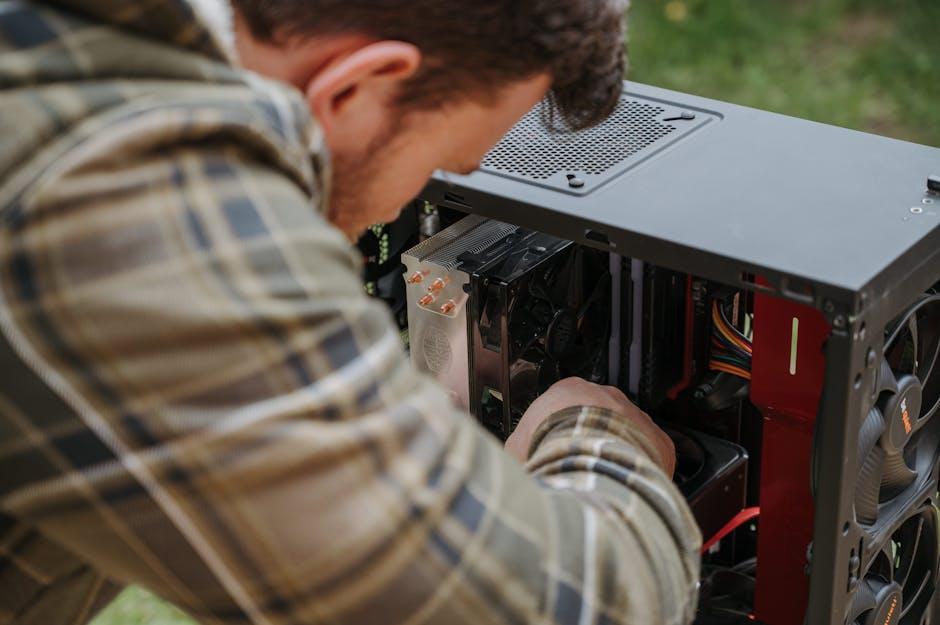
At the heart of any high-performance PC, especially one tasked with rendering the intricate details of a 1960s touring car or the dynamic physics of a vintage track, lies its cooling system. Thermal management is not just a buzzword; it’s the bedrock of system longevity and consistent performance. When components, particularly the CPU and GPU, run too hot, they automatically throttle their performance to prevent damage. This leads to frustrating frame rate drops and stutters, precisely what we want to avoid during a critical overtake in GT Legends or a challenging lap in a modded rFactorsession.
The primary enemy of effective thermal management is dust. Over time, dust accumulates on fan blades, heatsink fins, and inside ventilation grilles, forming an insulating layer that traps heat. This significantly impedes airflow efficiency, forcing fans to work harder and louder, while simultaneously reducing their ability to dissipate heat. Regular cleaning ensures that cool air can freely enter and hot air can effectively exit the system, maintaining optimal operating temperatures.
When considering cooling systems, we primarily deal with air cooling and liquid cooling. Both require distinct maintenance approaches to remain effective.
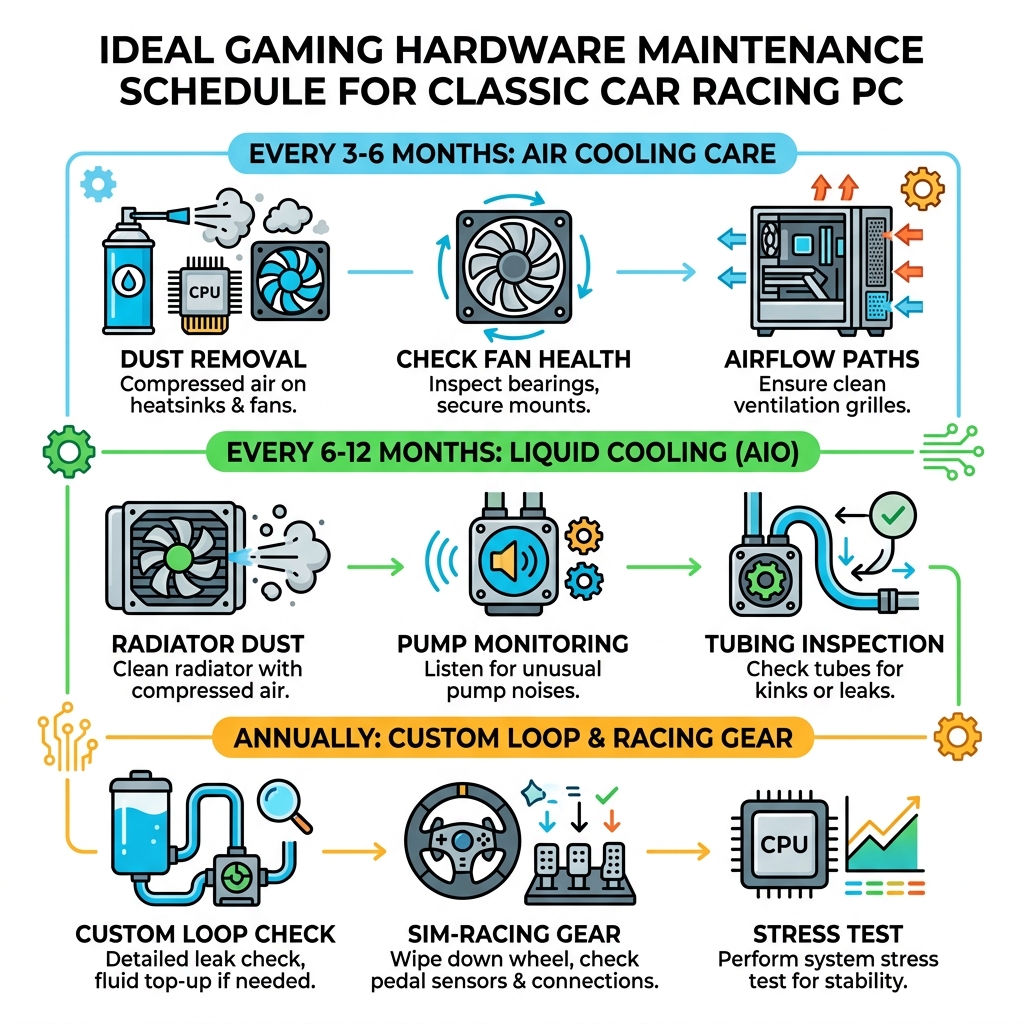
Cooling System Type Primary Maintenance Focus Frequency (General) Key Actions Air Cooling Dust Removal, Fan Health Every 3-6 Months Compressed air on heatsinks & fans, check fan bearings, secure fan mounts. Liquid Cooling Radiator Dust, Pump Noise, Fluid Levels (AIO), Leak Check (Custom Loop) Every 6-12 Months (AIO), Annually (Custom Loop) Compressed air on radiator, listen for pump anomalies, inspect tubing for kinks/leaks. This table provides a general overview, but individual circumstances (e.g., pets, smoking, environmental dust levels) may necessitate more frequent checks.
Physical Cleaning Techniques for Gaming Hardware Maintenance
Effective physical cleaning is a cornerstone of hardware maintenance. Before starting, always power down your PC and unplug it from the wall. For safety, it’s also wise to touch a grounded metal object (like an unpainted part of your PC case) to discharge any static electricity from your body.
Our essential toolkit includes:
- Compressed Air: This is your primary weapon against dust. Use short bursts from a distance of about 15-20 cm, especially on fans, heatsinks (CPU and GPU), and power supply vents. Hold fan blades gently to prevent them from spinning too fast, which can damage their bearings. Always use compressed air in a well-ventilated area, preferably outdoors, as it will kick up a lot of dust.
- Microfiber Cloths: Ideal for wiping down exterior surfaces, case panels, and monitor screens without leaving scratches or lint. They are also useful for gently cleaning fan blades after initial dusting.
- Isopropyl Alcohol (99% or higher):Perfect for cleaning stubborn grime or thermal paste residue. Apply a small amount to a microfiber cloth, never directly to components. It evaporates quickly and leaves no residue, making it safe for electronics. This is particularly useful for cleaning CPU heatsink bases if you’re reapplying thermal paste.
- Anti-Static Brush: A soft-bristled, anti-static brush can be invaluable for gently dislodging dust from delicate components or hard-to-reach areas without scratching.
- Static Prevention: Beyond grounding yourself, consider using an anti-static wrist strap, especially when handling sensitive components like RAM or expansion cards.
When cleaning, prioritize areas with active airflow: intake and exhaust fans, CPU cooler, GPU cooler, and power supply unit. Don’t forget to clean any dust filters on your case, as these are designed to trap particles before they enter your system. Regularly cleaning these filters can significantly reduce internal dust buildup.
System Optimization and Gaming Hardware Maintenance
Beyond physical cleanliness, software-level optimization plays an equally critical role in maintaining peak gaming performance. A well-tuned operating system and up-to-date drivers ensure that your hardware can communicate efficiently and perform at its best.
- Driver Updates: This is perhaps the most impactful software maintenance task. Graphics card drivers (NVIDIA, AMD, Intel) are constantly updated to improve performance in new games, fix bugs, and optimize existing titles. Regularly checking for and installing the latest drivers can yield significant performance gains. Don’t overlook chipset drivers, audio drivers, and peripheral drivers, as these also contribute to overall system stability and performance.
- Firmware Management: While less frequent, firmware updates for your motherboard (BIOS/UEFI), SSDs, and other components can introduce stability improvements, new features, or performance enhancements. Always exercise caution when updating firmware, following manufacturer instructions precisely, as an interrupted update can brick a device.
- Background Processes: Modern operating systems often run numerous applications and services in the background, consuming valuable CPU, RAM, and disk resources. Before a gaming session, we can close unnecessary applications, disable startup programs, or use Windows’ “Game Mode” to prioritize game performance. This ensures maximum resources are dedicated to running your classic car racing game smoothly.
- Disk Health: For traditional Hard Disk Drives (HDDs), periodic defragmentation helps organize data, improving access speeds. For Solid State Drives (SSDs), defragmentation is unnecessary and can even reduce lifespan; instead, ensure TRIM is enabled (usually by default in modern OS) to optimize performance. Regularly monitoring disk space and removing unnecessary files also contributes to overall system responsiveness.
- Registry Optimization: The Windows Registry can become cluttered over time with entries from uninstalled programs. While some third-party tools claim to “clean” the registry, we advise caution. Improper registry modifications can lead to system instability. If you choose to use such tools, always create a system restore point first. A clean Windows installation every few years is often the most effective “registry optimization.”
By diligently performing both physical cleaning and software optimization, we lay a robust foundation for a stable and high-performing gaming PC, ready to tackle any virtual racetrack.
Specialized Care for Sim-Racing Controllers and Peripherals
For enthusiasts of classic car racing games on PC, the experience is often defined by the tactile feedback and precision offered by dedicated sim-racing peripherals. A high-quality steering wheel, pedal set, and shifter can transform a game into an immersive simulation. However, these devices, with their moving parts and intricate sensors, require specialized care to maintain their performance and longevity.
The force feedback system in a racing wheel, for instance, is crucial for conveying the nuances of the road, tire grip, and car behavior. Over time, internal gears, belts, or direct drive motors can accumulate wear or dust, leading to degraded force feedback quality or even dead zones. Regular use can also lead to mechanical wear in buttons, paddle shifters, and the wheel’s rotation mechanism.
A common point of failure or inconsistency in older or heavily used pedal sets is the potentiometer. These sensors, which measure pedal input, can become dirty or worn, leading to “spiking” or inconsistent readings. This means your virtual car might suddenly brake harder than intended or not accelerate smoothly, directly impacting your lap times and immersion in games like GT Legends or rFactor. Cleaning potentiometers, often involving opening the pedal unit and using electronic contact cleaner, can resolve these issues. For higher-end pedals, Hall effect sensors or load cells offer greater durability and precision, requiring less maintenance in this regard.
Steering wheel calibration is another vital aspect. After extensive use or driver updates, recalibrating your wheel ensures that its physical rotation accurately translates to in-game steering input. Most racing wheel software includes a calibration utility, allowing us to set the full range of motion and center point precisely. This is critical for maintaining input precision, enabling us to hit apexes consistently and react accurately to oversteer.
Similarly, pedal sensor sensitivity needs to be checked and adjusted. Whether it’s brake pressure or throttle input, ensuring a smooth, linear response from your pedals is paramount. Many racing titles and peripheral drivers allow for fine-tuning pedal curves, enabling us to match the sensitivity to our driving style and the specific demands of a classic car, which often require more nuanced throttle and brake control than modern vehicles.
Beyond internal components, general mechanical wear on external parts like shifters, handbrakes, and even the mounting clamps of your wheel can affect stability and feel. Periodically inspect these components for loose screws or signs of stress. Keeping the surfaces clean with a microfiber cloth also prevents grime from entering sensitive areas. By dedicating attention to these specialized peripherals, we ensure that our input precision remains high, allowing us to fully appreciate the authentic physics and handling models of our favorite classic racing simulations.
Preserving Hardware for Retro and Classic PC Titles
The allure of classic car racing games often extends beyond modern simulations to beloved titles from yesteryear. However, running these older gems on contemporary hardware, or even maintaining the vintage systems they were designed for, presents its own unique set of challenges. The landscape of PC gaming has evolved dramatically, and what worked seamlessly in 2005 might require some coaxing in 2024.
Legacy components and their corresponding drivers are a prime concern. Older games often relied on specific DirectX versions or graphics card architectures that are no longer natively supported by modern operating systems or hardware. This is where compatibility modes and legacy features become invaluable. For those delving into the intricacies of keeping vintage systems running or ensuring older titles function on contemporary setups, understanding classic gaming hardware maintenance is paramount. This includes everything from sourcing compatible drivers to understanding the nuances of older hardware architectures.
A key hurdle for many older Windows games is DirectPlay. This component of DirectX was crucial for networking and other functionalities in games from the Windows 95/98/XP era. On Windows 8 and later, DirectPlay is often disabled by default. To enable it, we typically navigate to “Control Panel” > “Programs” > “Turn Windows features on or off” and then enable “Legacy Components” which includes DirectPlay. This simple step can often resolve launch issues for many classic titles.
Furthermore, running older executables often benefits from using compatibility mode. By right-clicking the game’s executable, selecting “Properties,” and then navigating to the “Compatibility” tab, we can instruct Windows to run the program as if it were on an older OS like Windows XP or 7. This can bypass many modern OS checks that might otherwise prevent the game from launching or functioning correctly.
For games that have fallen into the realm of abandonware, community resources like My Abandonware are invaluable. These sites often host legal downloads and provide detailed guides on how to get games like Classic Car Racing (2007) running on modern systems, including tips for widescreen resolutions or bypassing problematic DRM. Classic Car Racing (2007), for example, gained a respectable 4.63/5 user rating on My Abandonware, proving its enduring appeal despite its age.
Titles like GTR 2 (2006), often cited as one of the top racing games of all time, also benefit from community efforts to keep them alive. Its extensive modding scene, which emerged shortly after its release, has ensured its longevity and adaptability, allowing players to enjoy classic cars and tracks that weren’t originally included. While GTR 2 sparked interest in PC sim racing, its spiritual predecessor GT Legends is another prime example. Released in 2005, it meticulously recreates the authentic feel of 1960s touring car racing, featuring iconic British sports cars like MGs, Triumphs, and Shelby Cobras. Its proper career mode, starting with slower cars and progressing, captures the era’s spirit.
When dealing with older hardware or games, we must also consider system requirements carefully. While they might seem low by today’s standards, ensuring your system meets them, or even exceeds them in a way that doesn’t introduce new compatibility issues, is important. For vintage systems, voltage stability is paramount. Older power supply units can degrade, leading to unstable power delivery that can cause crashes or even damage sensitive components. Investing in a quality modern PSU for a vintage build, or ensuring your current one is in good health, is a wise precaution.
By understanding these nuances and leveraging available community resources, we can continue to enjoy the rich history of classic car racing games on PC, bridging the gap between past and present hardware.
Hardware Configurations for Realistic Racing Simulations
Achieving truly realistic racing simulations, especially with the authentic physics and detailed environments of modern or heavily modded classic titles, demands a robust hardware configuration. While older games might run on modest setups, contemporary sim racers push the boundaries of PC performance.
The GPU load is often the first bottleneck encountered. High resolutions (1440p, 4K), multi-monitor setups (like a triple-screen racing cockpit), and demanding graphical settings (anti-aliasing, shadow quality, reflections) all place immense strain on the graphics card. A powerful GPU ensures smooth frame rates, preventing visual stutters that can break immersion and impair reaction times during high-speed racing. For games with dynamic weather or complex lighting, a capable GPU is non-negotiable.
Equally important, especially for simulation titles, is the CPU. Unlike arcade racers, realistic simulations like GT Legends or rFactor (with its extensive modding community) perform complex physics calculations in real-time. This includes tire models, suspension dynamics, aerodynamic forces, and AI behavior for multiple opponents. A strong CPU prevents bottlenecks where the graphics card is waiting for the processor to crunch numbers, ensuring that the physics engine, such as the ISImotor engine used in GT Legends, can operate without compromise. This directly contributes to the authentic feel and responsiveness of the cars.
RAM speed and capacity also play a significant role. While 16GB is generally the standard for gaming, faster RAM (e.g., 3200MHz or higher) can improve CPU performance, particularly in scenarios where the processor is heavily utilized. Sufficient RAM also ensures quick loading times for large track and car models, reducing interruptions between sessions.
Real-time telemetry is a feature often utilized by serious sim racers to analyze their driving and optimize car setups. This data stream, while not directly impacting gameplay performance, relies on a stable system to collect and process information without introducing latency.
Peripheral connectivity is another critical aspect. A racing setup often involves a steering wheel, pedals, shifter, handbrake, and sometimes button boxes or external displays, all connected via USB. Ensuring stable and sufficient USB hub power is essential, especially for high-end force feedback wheels that draw considerable power. Using a powered USB hub can prevent power delivery issues and ensure all peripherals function reliably without dropouts.
Finally, cooling for extended sessionscannot be overstated. Sim racing sessions can last for hours, pushing your CPU and GPU to their limits. A well-maintained cooling system, as discussed in the initial sections, is paramount to prevent thermal throttling and maintain consistent performance throughout long races. Overheating can not only degrade performance but also shorten the lifespan of expensive components. Investing in good case airflow, CPU coolers, and potentially liquid cooling solutions is a wise decision for dedicated sim racers.
By carefully configuring and maintaining these hardware elements, we create an environment where the intricate physics and immersive visuals of classic car racing games can truly shine, providing an unparalleled virtual driving experience.
Frequently Asked Questions about Gaming Hardware Maintenance
How often should I clean my gaming PC to prevent overheating?
We recommend a thorough internal cleaning of your gaming PC every 3 to 6 months. However, this frequency can vary based on several factors:
- Environment: If you live in a dusty area, have pets (especially shedding ones), or if there are smokers in the house, you might need to clean it every 1-3 months.
- Usage: PCs used for intensive gaming sessions daily will accumulate dust faster than those used occasionally.
- Case Design: Cases with good dust filters and positive air pressure (more intake than exhaust fans) will generally keep cleaner for longer. Regularly checking your PC’s temperatures with monitoring software can also provide an indication of when a cleaning is due. If idle or load temperatures start to creep up, it’s a good sign it’s time for a dust-out.
What is the best way to maintain sim-racing pedals and steering wheels?
Maintaining sim-racing peripherals involves a mix of physical cleaning, calibration, and component care:
- Physical Cleaning: Regularly wipe down the wheel rim, pedal plates, and shifter with a microfiber cloth to remove sweat and grime. Use compressed air to clear dust from crevices and around buttons.
- Potentiometer Care: For pedals using potentiometers, if you experience “spiking” or inconsistent input, carefully open the pedal unit (if comfortable doing so and it doesn’t void warranty) and use an electronic contact cleaner on the potentiometer tracks.
- Calibration: Periodically recalibrate your steering wheel and pedals using the manufacturer’s software. This ensures accurate input range and centering.
- Mechanical Checks: Inspect all moving parts, buttons, and switches for loose connections or excessive play. Tighten any loose screws.
- Cable Management: Ensure USB cables are not strained or kinked, as this can lead to connection issues.
- Storage: When not in use, protect your peripherals from dust and direct sunlight. If you use a wheel stand, ensure it’s stable and doesn’t stress the mounting points.
Does software maintenance impact the physics realism in games like GT Legends?
Yes, absolutely. While the core physics engine of a game like GT Legends is hard-coded, software maintenance significantly impacts how accurately and consistently those physics are simulated and presented to the player.
- Driver Updates: Up-to-date graphics and chipset drivers ensure your hardware is performing optimally, preventing frame rate drops or micro-stutters that can disrupt the illusion of realistic physics. When a game’s physics calculations are tied to frame rate, inconsistent performance can lead to inconsistent car behavior.
- OS Optimization: A clean, optimized operating system with minimal background processes ensures that your CPU has ample resources to dedicate to physics calculations. If the CPU is bogged down by other tasks, it can’t process the complex tire models, suspension dynamics, and collision physics as quickly or accurately, leading to a less realistic and less responsive driving experience.
- Stable Performance: Consistent and stable system performance, achieved through both hardware and software maintenance, is key. Any instability – be it from overheating, outdated drivers, or resource contention – can introduce latency or inconsistencies that directly detract from the perceived realism and responsiveness of the car’s handling, making it harder to predict and react to the vehicle’s behavior on track.
Conclusion
In classic car racing games on PC, where every nuance of a vintage engine and the subtle slide of a period tire matters, the importance of meticulous hardware maintenance cannot be overstated. From the exhilaration of piloting a Shelby Cobra in GT Legends to the precise control required in a modded rFactor setup, our gaming hardware is the bridge between virtual reality and authentic immersion.
By embracing proactive care – encompassing regular physical cleaning, diligent software optimization, and specialized attention to our sim-racing peripherals – we ensure not just the longevity of our valuable equipment but also the consistent, peak performance essential for an uncompromised racing experience. This commitment to maintenance safeguards our hardware investment, enhances our enjoyment, and effectively future-proofs our setup against common performance degradations. A well-maintained PC is a reliable partner on every virtual racetrack, promising countless hours of thrilling, high-fidelity classic car racing.